Junction Runners · ZD's automation tools · Released
Every junction. Every scenario.
One pass.
A volume table goes in. The analysis software runs itself, and the results come back as reports and a workbook.
SIDRA Runner
Straight through the SIDRA API.
No window opens. Each site is filled with its volumes, processed and read back headless, in seconds.
- Roundabouts and priority junctions
- Results for every scenario and layout
- A results workbook at the end of the run
Synchro Runner
Signals, every scenario, unattended.
The runner creates and names the scenarios itself, optimises each one and collects the reports while nobody is at the desk.
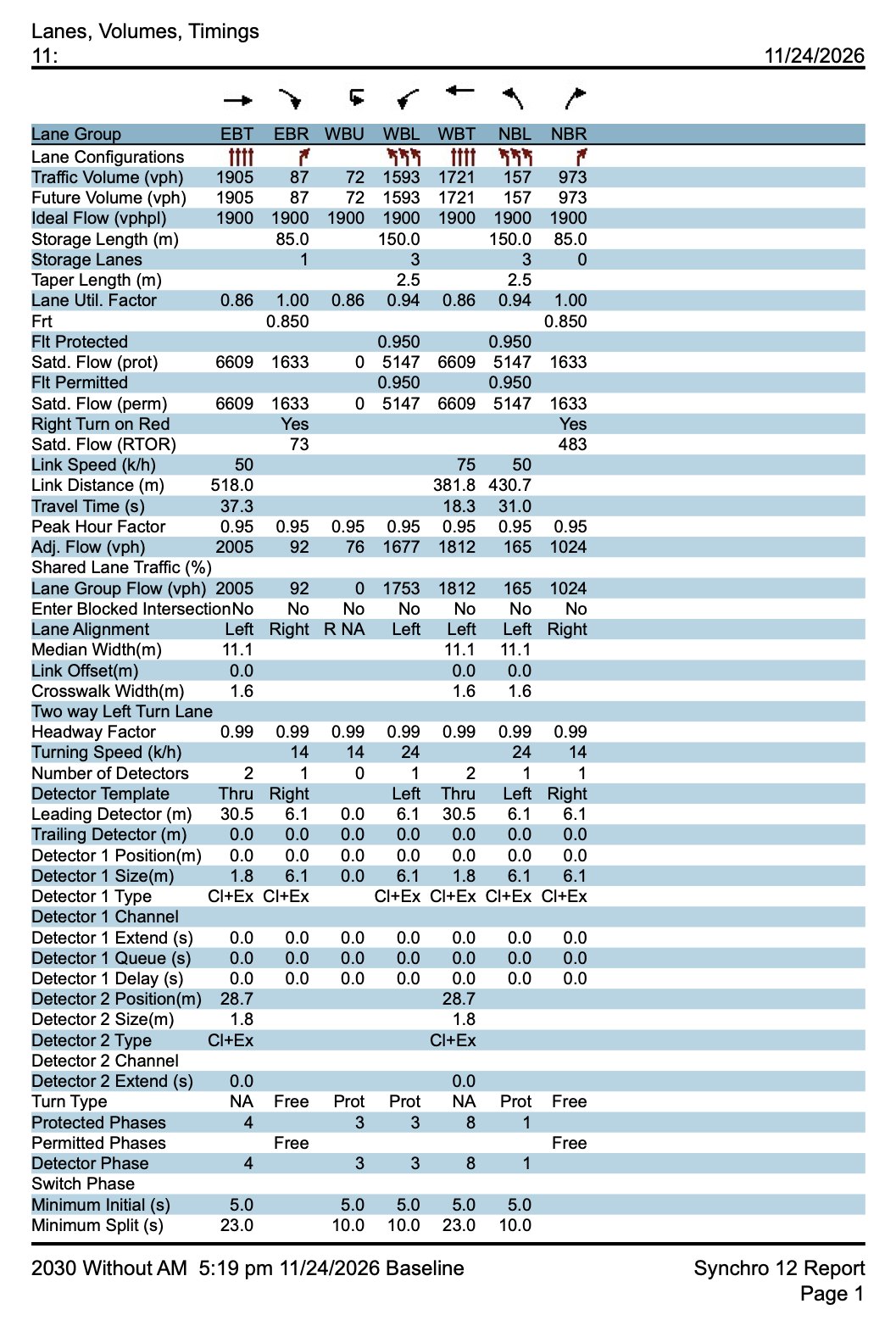
- One merged PDF per junction, all scenarios inside
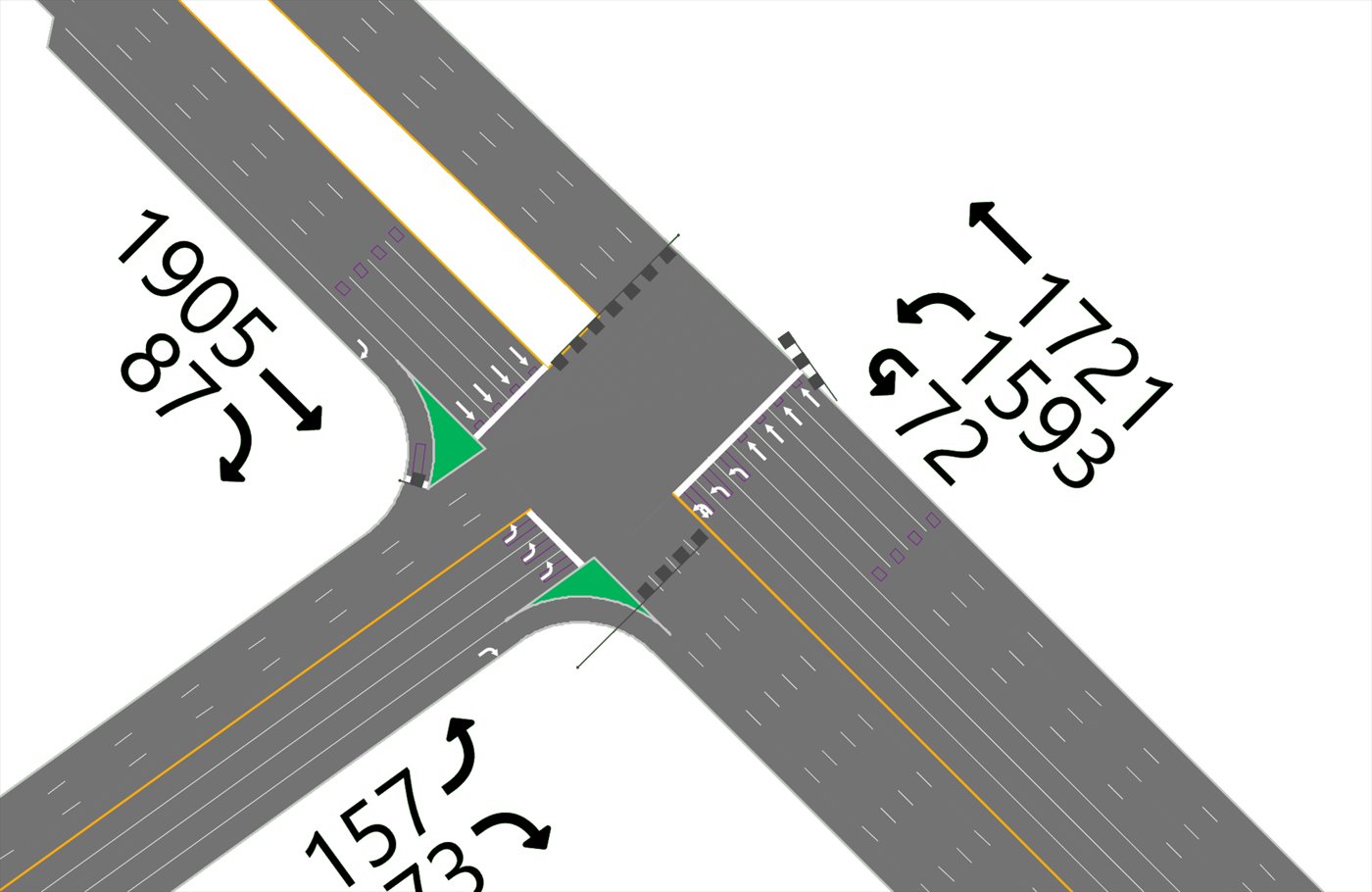
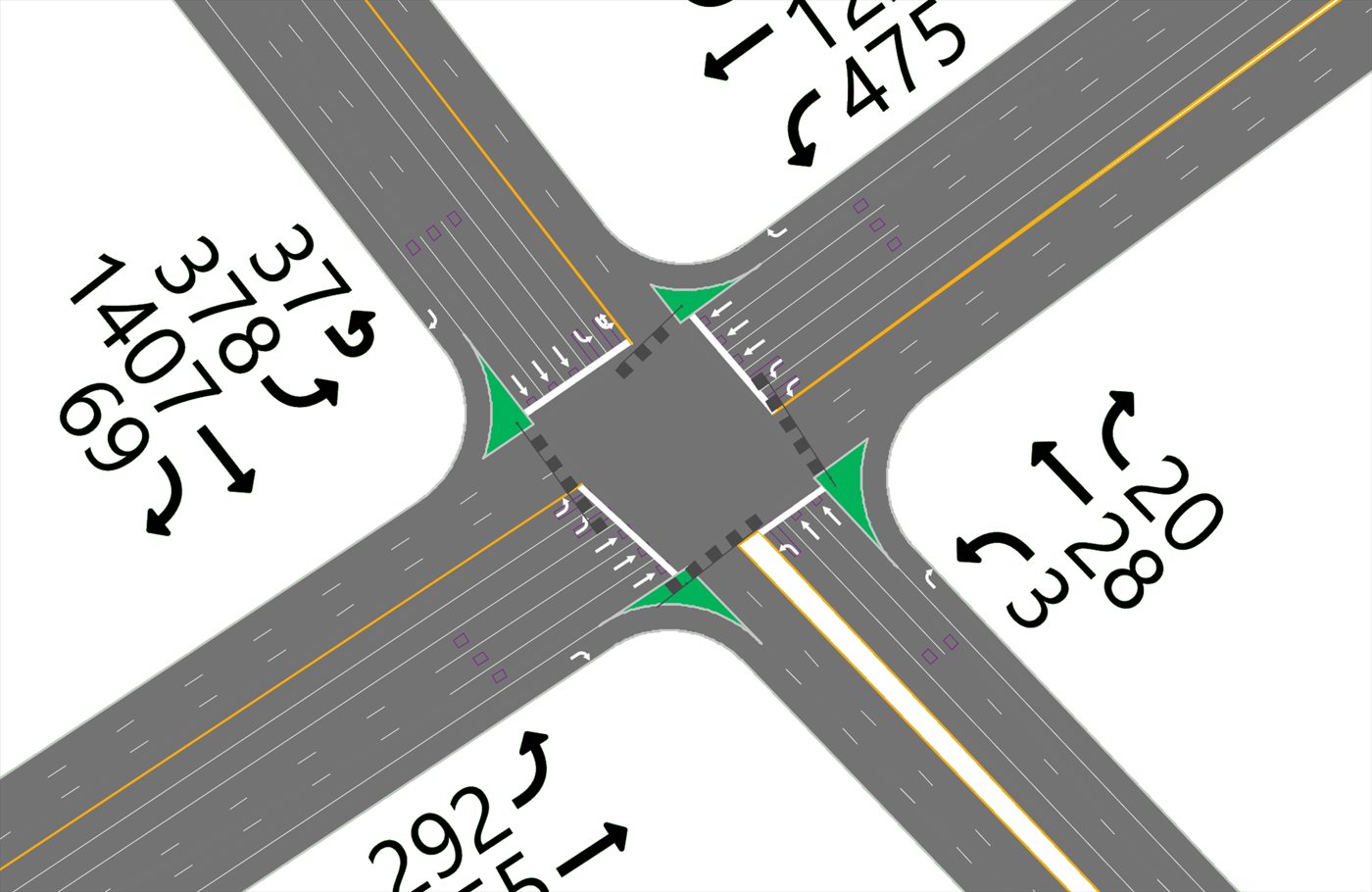
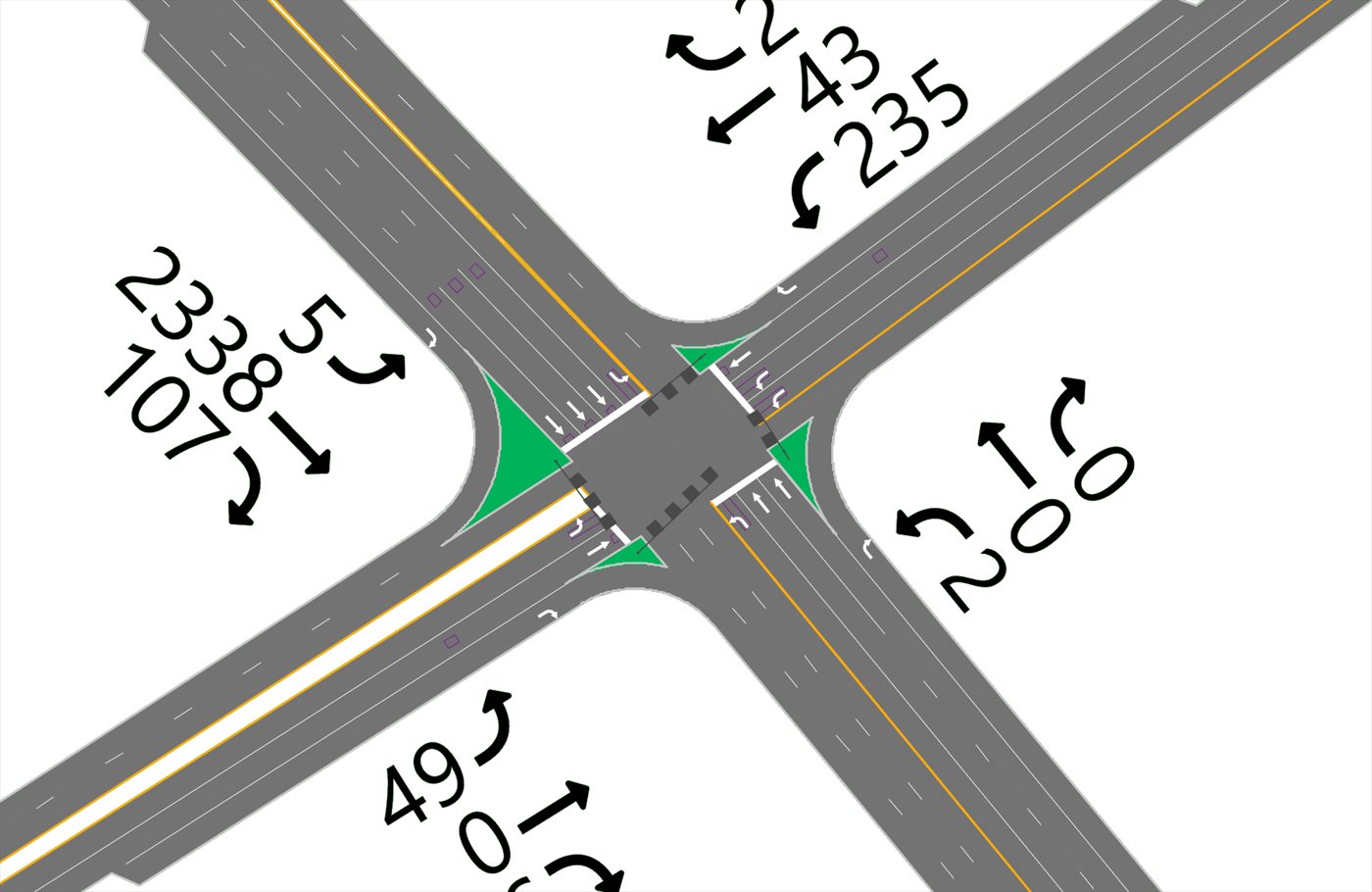
- Layout pictures at a fixed view
- A results workbook with the house table, including the 95% queue
From a real run
Three signals, twelve scenarios, one run.
Everything below was written by the runner in a single unattended run on a demonstration network. Nothing here was typed or drawn by hand.
| Scenario | Signal | Cycle, s | Delay, s | LOS | Max v/c |
|---|---|---|---|---|---|
| 2030 Without AM | 11 | 95 | 23.7 | C | 0.92 |
| 2030 Without AM | 13 | 95 | 31.1 | C | 0.93 |
| 2030 Without AM | 24 | 95 | 10.0 | B | 0.70 |
| 2030 Without PM | 11 | 105 | 21.1 | C | 0.85 |
| 2030 Without PM | 13 | 105 | 31.4 | C | 0.89 |
| 2030 Without PM | 24 | 105 | 10.5 | B | 0.89 |
| 2035 Without AM | 11 | 115 | 28.1 | C | 0.95 |
| 2035 Without AM | 13 | 115 | 34.8 | C | 0.94 |
| 2035 Without AM | 24 | 115 | 10.5 | B | 0.75 |
| 2035 Without PM | 11 | 105 | 21.3 | C | 0.87 |
| 2035 Without PM | 13 | 105 | 33.5 | C | 0.93 |
| 2035 Without PM | 24 | 105 | 11.6 | B | 0.93 |
HCS Runner
Freeway segments, seconds per file.
Weaves, merges and diverges run back to back, and the results sheets come out together.
- Several jobs in one run
- Time logged for every file and for the run
Fed by Crossroads
The volumes arrive ready.
For signals, the volume table comes straight from Crossroads: scenario, junction, movement, volume, heavy vehicle share and peak hour factor. A blank cell keeps the value already in the junction file.
- One command, or a double-click on a team PC
- Every run leaves a record: who ran it, on which PC, and how long it took
- An engineer checks every result before it is issued
At a glance
Junction Runners
- What they do
- Run the junction analysis for every scenario without anyone at the keyboard
- Goes in
- A volume table and the junction files
- Comes out
- Reports per junction, layout pictures and a results workbook
- Engines
- SIDRA through its API, Synchro, HCS
- Review
- Every result is checked by an engineer before issue
- Status
- Released and in use
Let's collaborate
Let's see how your traffic studies can be automated.
I want to understand how your team works today: the steps, the tools, the formats. Show me your workflow, and I will show you what agentic AI can take over. Consultants and authorities, wherever you work: if you are interested, let's talk.
hello@trafficmind.aiConnect on LinkedIn
Zhoeb Daimi · traffic engineer, Abu Dhabi